

Set up your Workspace
- A Clients folder: one page per client or gig, with subpages for Proposals, Deliverables, Meeting Notes and Invoices.
- A Personal & Admin folder: pages like Finances, Portfolio Updates and Content Calendar.
Track every deliverable
- Tags for status: tag tasks waiting, sent, feedback or done. Click Add Tag in a task’s Tag column and type a new name to create it.
- Or use the Status column: Backlog, Next Up, In Progress and Completed.
Schedule your work
- Block time for deliverables: drag tasks onto the calendar.
- Client calls as events: add the client under Guests, and pick your Google, Apple or Outlook calendar in the event’s Calendar row so the call shows there too.
Stay consistent between gigs
Daily habits like Check emails 📥, Pitch 2 clients 💼 or Update portfolio 🖼️ keep you moving, even between projects.
Share with clients and collaborators
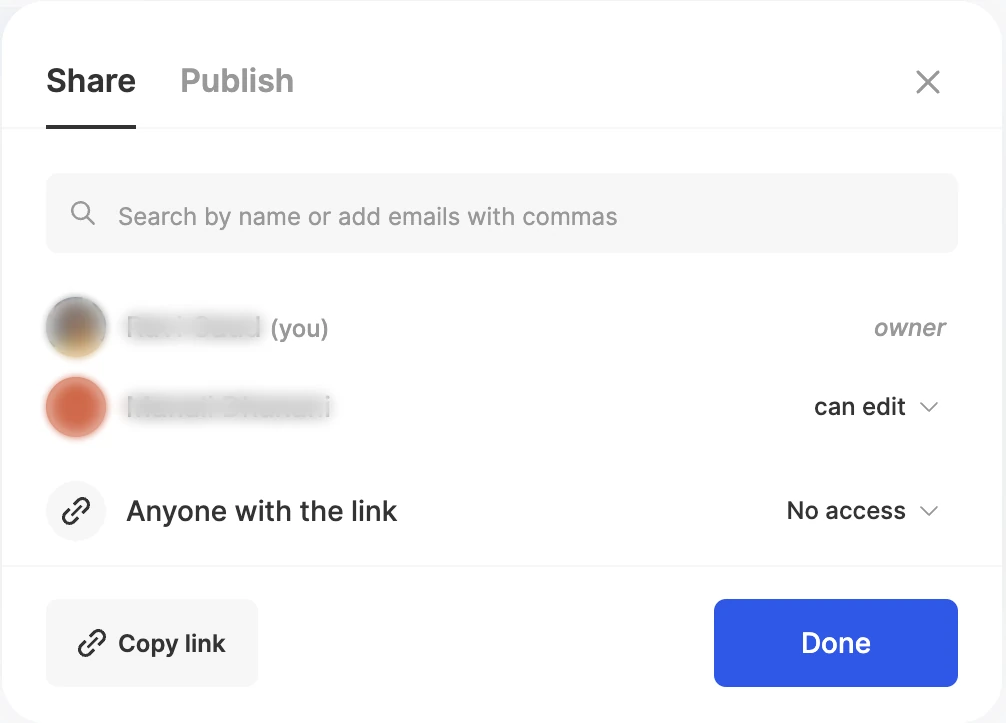
Share a client page with the client, a designer or another collaborator, and choose can view, can comment or can edit. People who don’t use ByDesign get an email invite. For a read-only brief anyone can open, publish the page to the web.
Keep reading
- Working with pagesCollaboration and publishingShare a page with people or a link, publish it as a public web page, discuss it with comments, and assign single tasks.
- Working with pagesOrganizing your work and lifeCreate pages and folders, fill them with notes, tasks, tables and media, and move work between pages and your calendar.
- Integrations and syncConnecting your calendars to ByDesignConnect Google, Apple and Outlook, subscribe to any calendar link, and choose where ByDesign sends your tasks, events and habits.